Obituary & memorial services for Korean-American families
Share the news and gather RSVPs — with one link.
FreeObituary · Obituary card · RSVP · Memory Album — free
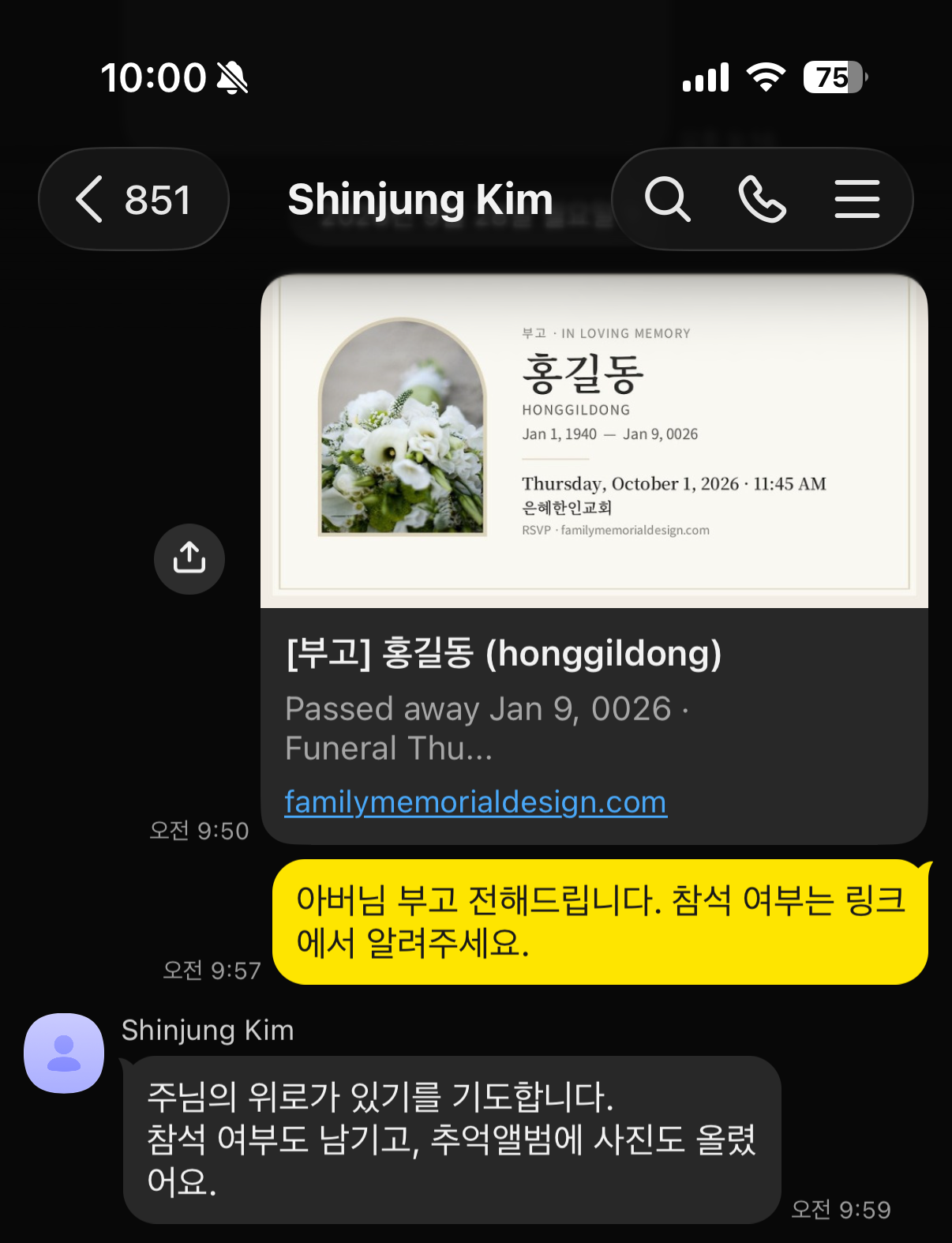
Post an obituary in minutes and we create a ready-to-send obituary card for KakaoTalk or text. Guests RSVP right from the link and share their memories with photos.

First time? Message us on KakaoTalk or by email — we are glad to help in Korean or English.
We reply 9am – 6pm Pacific Time · Scan with your phone camera to open a KakaoTalk chat.
How it works
Share the news in three simple steps
-
1
Write the obituary
All you need is a name, the English name and the date of passing. Add service details, a biography and a photo as you like.
-
2
Send by KakaoTalk or text
An obituary card image is created for you. Even a plain link shows the card as a preview.
-
3
RSVPs and memories gather
Guests reply on the obituary page and the guest list organizes itself, while the Memory Album fills with photos and stories. We email you each new response.
Obituaries go live after a quick review. Private, password-protected obituaries are available too.
Free services
What you need most is free
Obituary page
An obituary with service details and biography, on its own link. Dates appear in English too, so everyone can read them.
Obituary card image
A portrait card sized for KakaoTalk and text messages, made automatically. Choose a photo, a default image or a memorial emblem.
RSVP
A guest list right on the obituary page. Phone numbers, emails and addresses are never shown publicly.
Memory Album (up to 10)
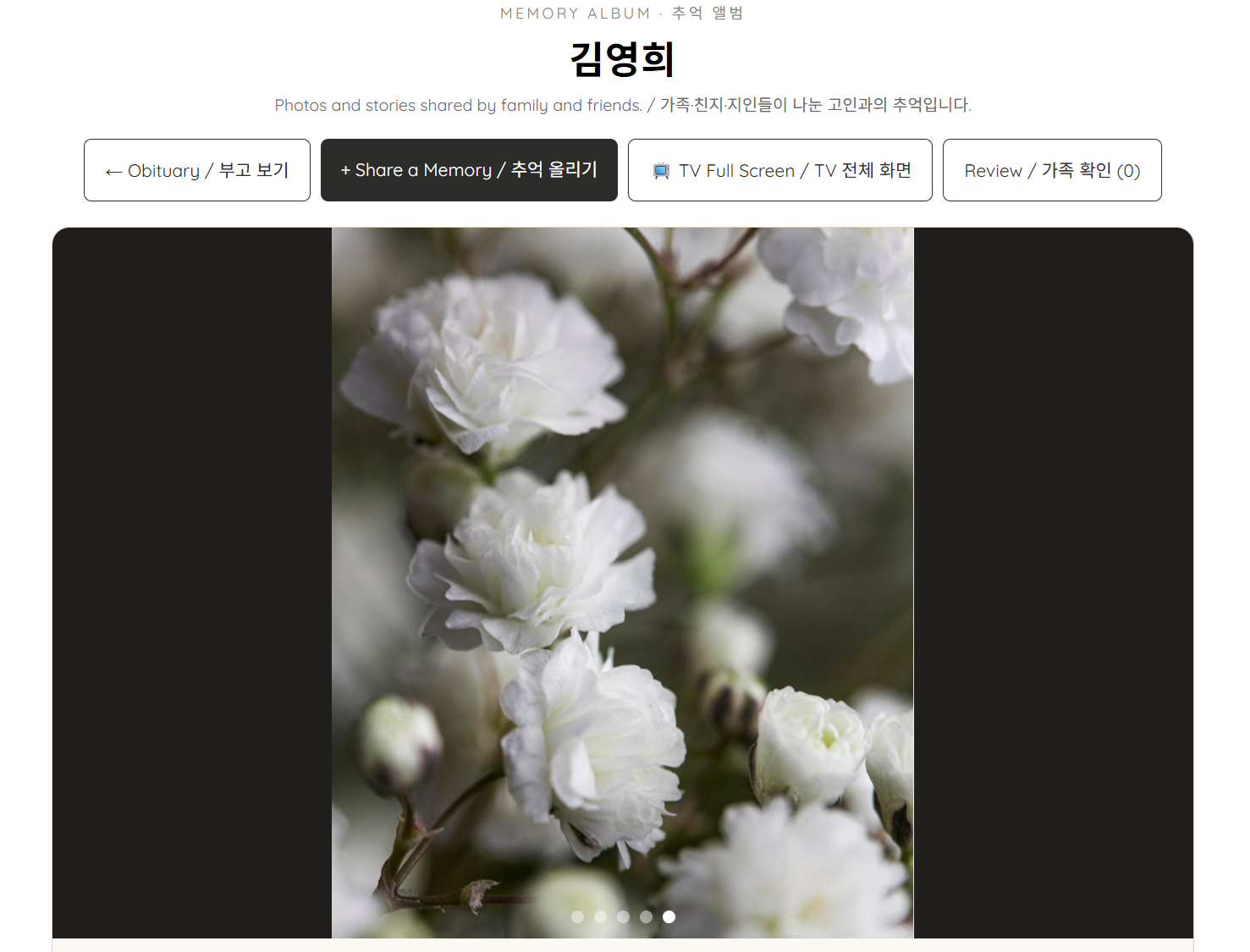
Family and friends each share photos and a story. Memories appear after the family reviews them, and can play on the funeral hall TV.
Memory Album · Free for up to 10
One person, one scene. Stories that remember them.
Anyone who receives the obituary can share 1–5 photos and a story. Each person becomes one slide, with their name and words beneath their photos.
- Just the obituary link — no login or password. iPhone photos convert automatically
- Nothing appears until the family reviews it. The family can hide or delete any memory
- Edit later from the same phone, or from the edit link sent by email
- Free for up to 10 people; from the 11th, a one-time $39 upgrade opens it to everyone
Put it on the funeral hall TV
Tap “TV Full Screen” and it moves through each person on its own, looping at the end. Newly approved memories join within minutes. Family Memory Page photos can play the same way.
Upgrade the Memory Album to unlimited ($39) and we email you a 50% off coupon for the Family Memory Page.
Family Memory Page $39 → $19.50
Family Memory Page
Bring scattered family photos together
$39 / 12 months
Families who upgraded the Memory Album pay $19.50 with their 50% coupon
Siblings far away, grandchildren and old friends each have photos on their phones. Gather them into one password-protected album.
- Enter with a name and a 6-character passcode — no app, no sign-up
- Upload many phone photos at once. iPhone photos convert automatically and location data is removed
- A slideshow of everything shared, plus full-screen autoplay for the funeral hall TV
- Choose photos and order a tribute video right from the page
- Photos are kept when the plan ends, and renewing reopens the page
Post the obituary first, then start it from “My Obituaries.”
At a glance
Memory Album or Family Memory Page — what’s the difference?
The Memory Album is where everyone who knew them leaves a story. The Family Memory Page is where the family gathers photos.
| Memory Album | Family Memory Page | |
|---|---|---|
| In a word | A memorial guestbook of stories from friends | A private photo album for the family |
| Who adds to it | Anyone who receives the obituary (friends, church, coworkers) | Family and relatives with the passcode |
| How to get in | Just the obituary link | Name + 6-character family passcode |
| What they add | 1–5 photos and a written story per person | Photos only, as many as you like |
| Who can see it | Anyone who can see the obituary, after family review | Only family with the passcode |
| How it looks | One person, one scene (photos + name + story) | Photo grid + slideshow |
| Funeral hall TV | Each person’s photos and story play in turn | Photos advance every 7 seconds |
| Tribute video order | — | Order directly from chosen photos |
| After the service | Stays with the obituary | Becomes the first album in Family Cloud |
| Price | Free for up to 10 people, then $39 one-time | $39 / 12 months |
They work best together: friends leave stories in the Memory Album, and family gathers photos on the Family Memory Page.
We prepare it for you
For families with no time to spare
The days before a funeral are full. Send us a photo and we take care of the rest.
Photo retouching
Old, blurry or group photos cleaned up so they can serve as the memorial portrait.
See pricingFramed memorial portrait
We print the retouched portrait, frame it and ship it to you — no trips to a photo studio or frame shop.
See pricingMemorial tribute video
A video made from the photos your family chose, ready for the service. Takes 7 days; rush service is available for an added fee.
See pricingSympathy flowers
Guests order from “Send Flowers” on every obituary page. Delivered to funeral homes in Los Angeles and Orange County — flowers at cost, plus a small coordination fee.
See pricingBefore, during and after
One obituary becomes an album your family keeps
-
01
Sharing the news
Tell everyone with a free obituary and card, and collect RSVPs.
-
02
Preparing
Friends add memories to the Memory Album, and family adds old photos to the Family Memory Page. Leave the portrait retouching and frame to us.
-
03
The service
Autoplay the Memory Album and family photos on the funeral hall TV, or show a tribute video made from the photos your family chose.
-
04
After the service
Add photos from the day to complete the album, then keep sharing holidays and celebrations in Family Cloud.
Family Cloud
From a memorial album to the whole family’s album
Photos from the Family Memory Page become your first album, and you can add as many albums as you like — holidays, weddings, first birthdays. Same family passcode.
Every plan: passcode protection · invite album managers · upgrade anytime
Peace of mind
Your family’s photos and details, kept with care
Protected by passcode
Only people with the passcode see family photos. Everyone can remove what they uploaded, and the obituary author manages it all.
Contact details stay private
Phone numbers, emails and addresses left with an RSVP are visible only to the family, and never printed on the card.
Photos kept after the plan ends
When a plan ends the page locks, but every photo is kept. We email you 10, 5 and 2 days before.
Friendly help in Korean
Not comfortable with computers? Message us on KakaoTalk or by email and we will walk you through it step by step.
Obituaries
Recent obituaries
Planning guide
Knowing ahead makes the hardest days easier
Clear guidance for Korean-American families planning a funeral in the United States.
Planning ahead
Pre-need arrangements, wills and living trusts, advance health care directives, burial or cremation
Right after a death
Death certificates, notifying Social Security, reporting to the Korean consulate, banks and insurance
Holding the funeral
Korean and American customs, religious services, costs and your right to a price list
After the funeral
Memorial services, sorting belongings, probate, and living with grief
Local directory Coming soon
Korean-friendly funeral homes and services, by state
We are gathering funeral homes, funeral directors, cemeteries, florists and photo and video services in one place, starting with California.
- California
- New York · New Jersey
- Texas
- Washington
- Georgia
- Virginia · Maryland
- Illinois
- Hawaii
Questions
Frequently asked
What exactly is free?
The obituary page, the obituary card image and RSVP are all free. The Memory Album is free for up to 10 people; from the 11th, a one-time $39 upgrade makes it unlimited and comes with a 50% off coupon for the Family Memory Page. The Family Memory Page, Family Cloud, photo retouching, framed portraits, tribute videos and flowers are paid.
Can we play photos on the funeral hall TV?
Yes. Tap “TV Full Screen” on the Memory Album or the Family Memory Page and photos and memories advance on their own, looping at the end. Open it on a computer connected to the TV or a smart TV browser. There is no sound, so play music separately.
Can I use it if I’m not good with computers?
Yes. The form takes only a few minutes, even on a phone. If you get stuck, message us on KakaoTalk or email [email protected] and we will help.
Do family members need an account?
No. RSVP and sharing a memory need only the obituary link. The Family Memory Page needs just a name and the 6-character passcode.
Who can see our photos?
Only people with the family passcode. Anyone with the link can see the obituary and RSVP, but never the family photos.
How early should we order a tribute video?
It takes 7 days. If the service is sooner, rush service (added fee) can make it faster.
Where do you deliver flowers?
To funeral homes in Los Angeles County and Orange County. All other services are available anywhere in the U.S.
Are photos deleted when the plan ends?
No. The page locks but photos are kept. We email you before it ends, and renewing reopens it.
Let us help you share their last news, with care.
The obituary, RSVP and Memory Album are free to start. Message us on KakaoTalk or by email anytime you need a hand.
Scan with your phone camera to open a KakaoTalk chat.